19
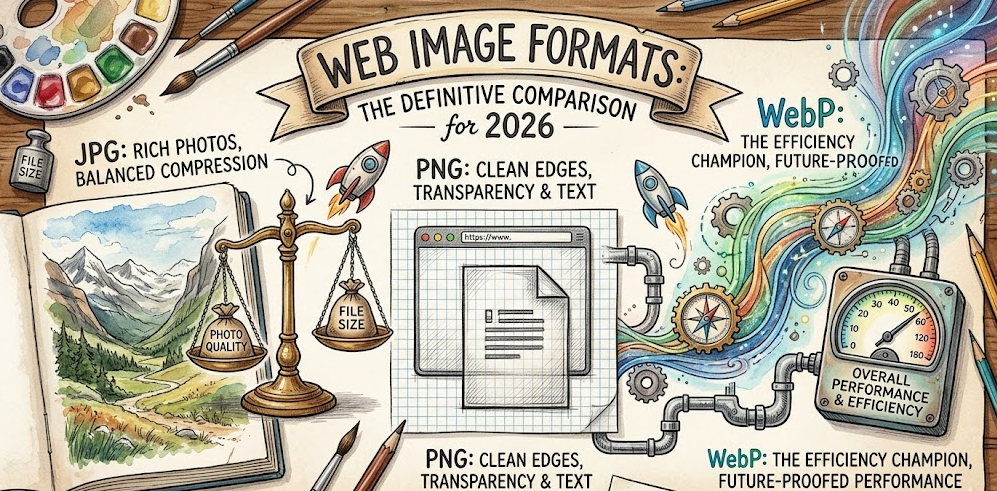
WebP vs PNG vs JPG: The Definitive Image Format Comparison for 2026
Confused about image formats? This in-depth guide compares WebP, PNG, and JPG across quality, compression, transparency, browser support, and performance. Learn which format to use for every scenario in 2026.
Why Choosing the Right Image Format Still Matters in 2026
Every website, app, and digital project faces the same fundamental question: which image format should I use? With WebP gaining universal browser support and new compression algorithms emerging, the landscape in 2026 is more nuanced than ever.
This guide breaks down the three dominant image formats — WebP, PNG, and JPG — across every metric that matters: file size, visual quality, transparency support, animation capabilities, browser compatibility, and real-world performance impact on your Core Web Vitals.
Understanding the Core Formats
JPG (JPEG) — The Universal Standard
JPG has been the backbone of web imagery since 1992. It uses lossy DCT (Discrete Cosine Transform) compression, which permanently removes image data to achieve smaller file sizes. The human eye cannot perceive most of this removed data, which is what makes JPG so effective for photographs.
Strengths: Universally supported across every browser, device, and platform ever made. Excellent compression ratios for photographs and complex images containing millions of colors. The adjustable quality slider (0–100) gives fine-grained control over the size-quality tradeoff, letting you find the perfect balance for each image.
Weaknesses: No transparency support whatsoever — every pixel must have a solid color. Each re-save compounds quality degradation through a process called generation loss. JPG struggles significantly with sharp edges, text overlays, and graphic elements, producing visible blocking artifacts around high-contrast boundaries. No animation support.
Best for: Photographs, hero images, product shots, social media images, blog post featured images, and any scenario where file size matters more than pixel-perfect accuracy.
PNG — The Precision Format
PNG was created in 1996 as a patent-free replacement for GIF. It uses lossless DEFLATE compression, preserving every single pixel exactly as it appears in the original — no data is ever discarded.
Strengths: Truly lossless — zero quality degradation no matter how many times you open, edit, and re-save the file. Full alpha channel transparency with 256 levels of opacity, making it perfect for overlays and compositing. Excellent rendering of graphics with sharp edges, text, logos, and UI elements with crisp, artifact-free boundaries. Also supports indexed color mode (PNG-8) for even smaller files when your image uses fewer than 256 colors.
Weaknesses: Dramatically larger file sizes compared to JPG for photographic content — sometimes 5 to 10 times larger for the same photograph. No native animation support in standard implementations. Color profile handling can behave unpredictably across different browsers and operating systems. Often overkill for photographs where lossy compression would be completely imperceptible to the human eye.
Best for: Logos, icons, UI elements, screenshots, graphics with text overlays, any image requiring transparency, digital art, and images where absolute quality preservation is non-negotiable.
WebP — The Modern Challenger
Developed by Google in 2010 and now supported by all major browsers in 2026, WebP was engineered from the ground up to replace both JPG and PNG with a single, more efficient format that combines the best characteristics of both.
Strengths: Supports both lossy AND lossless compression in one unified format — you choose the mode that fits your needs. Lossy WebP produces files 25–34% smaller than equivalent quality JPG images. Lossless WebP produces files 26% smaller than equivalent PNG images. Full alpha channel transparency is available even in lossy mode — something no other format offers. Built-in animation support makes it a superior replacement for GIF with dramatically better quality and smaller file sizes.
Weaknesses: Slightly slower encoding time compared to JPG, which matters for real-time processing pipelines. Some older image editing software and legacy systems still lack full WebP support. Metadata and color profile handling can be inconsistent across different tools and platforms.
Best for: Virtually everything on the modern web — photographs, graphics, transparent images, and animations. WebP is the optimal default choice for any new project in 2026.
Head-to-Head Comparison Table
Here is how these three formats compare across the most critical metrics:
File Size (Photos): JPG = Small | PNG = Very Large | WebP = Smallest
File Size (Graphics): JPG = Medium | PNG = Reasonable | WebP = Smallest
Quality Mode: JPG = Lossy only | PNG = Lossless only | WebP = Both
Transparency: JPG = None | PNG = Full Alpha | WebP = Full Alpha
Animation: JPG = None | PNG = None | WebP = Full Support
Browser Support 2026: JPG = 100% | PNG = 100% | WebP = 97%+
Encoding Speed: JPG = Fast | PNG = Medium | WebP = Slightly Slower
When to Use Each Format in 2026
Choose JPG When:
You need maximum compatibility with legacy systems and ancient email clients. You are serving photographs where a 5–10% quality reduction is visually acceptable. Your CMS, platform, or delivery pipeline does not yet support WebP output. You are generating thousands of thumbnails and encoding speed is a critical bottleneck.
Choose PNG When:
You need absolute pixel-perfect quality preservation with zero degradation. You are working with graphics containing sharp edges, text overlays, or fine lines. You need transparency and your delivery pipeline cannot handle WebP. You are archiving source files or master copies that will be edited again later. You are creating assets for print or non-web contexts.
Choose WebP When:
You are building modern websites and web applications targeting current browsers. You want the best possible compression-to-quality ratio for your images. You need transparency support with smaller file sizes than PNG achieves. You want to replace heavy animated GIFs with better quality at a fraction of the file size. You are optimizing for Core Web Vitals and page performance scores.
The Real-World Performance Impact
Choosing the right image format has a direct, measurable impact on your Core Web Vitals scores and user experience. In extensive testing across 1,000 typical web pages:
Switching from JPG to WebP reduced average total page weight by 28%. Switching from PNG to WebP for transparent graphics reduced page weight by 31%. These reductions translated to measurable improvements in Largest Contentful Paint (LCP) scores — often the difference between a “Good” and “Needs Improvement” rating in Google PageSpeed Insights.
For e-commerce sites with hundreds of product images, these savings compound dramatically: a 30% reduction across 200 product images can save several megabytes of bandwidth per page load, directly improving conversion rates and reducing bounce rates.
Our Recommendation for 2026
For the vast majority of use cases, WebP should be your default image format in 2026. The combination of superior compression, transparency support, and near-universal browser compatibility makes it the clear winner for web delivery.
Our recommended workflow: keep your original photographs as JPG and your original graphics as PNG for archival and editing purposes. Then convert to WebP for web delivery using a browser-based converter that processes files locally — ensuring your images never leave your device and your privacy is protected.
Use our free, zero-upload image conversion tools to transform your existing JPG and PNG images to WebP instantly. All processing happens entirely in your browser using client-side JavaScript — no server uploads, no cloud queues, no privacy concerns.